
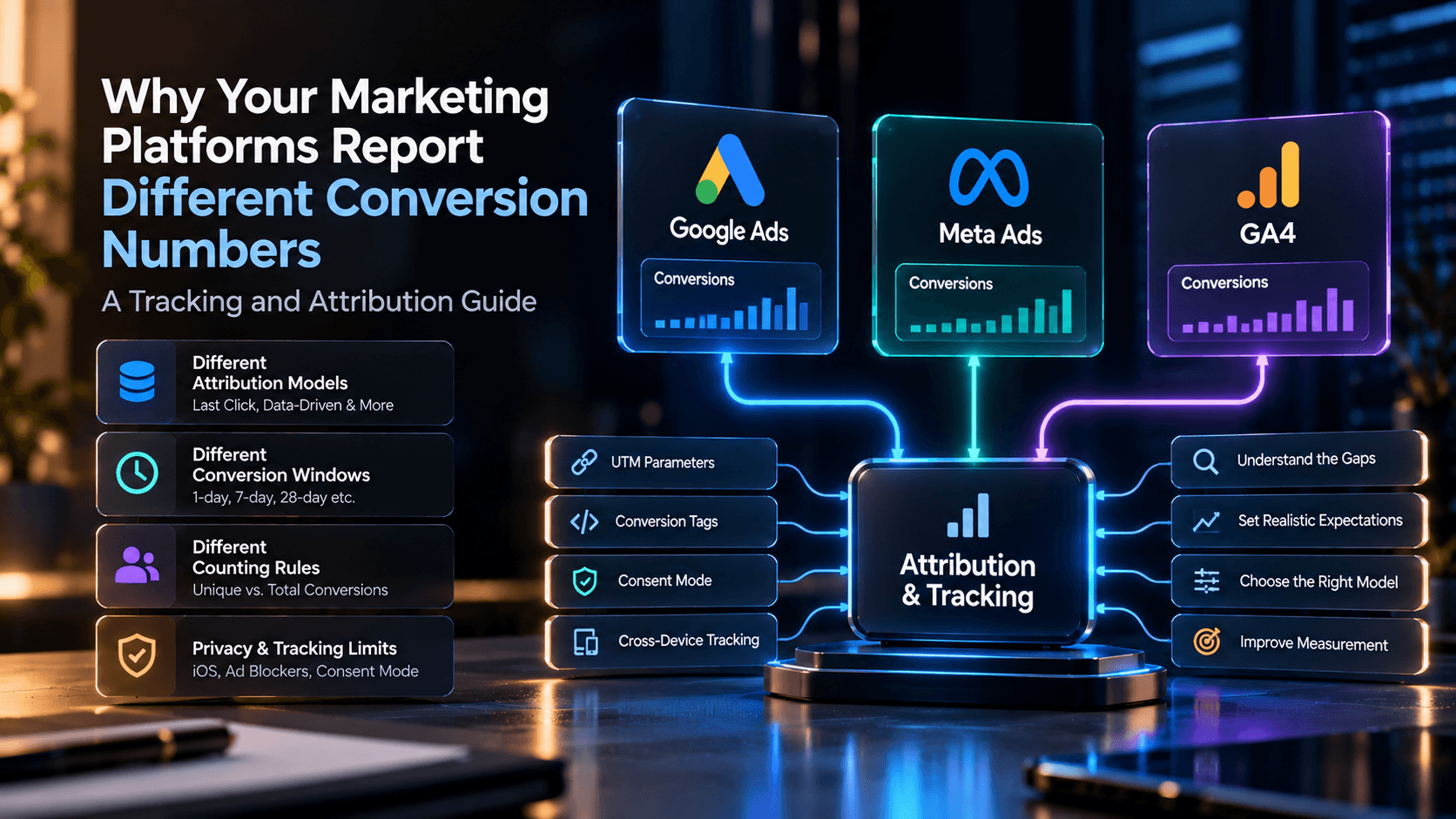
Why Your Marketing Platforms Report Different Conversion Numbers: A Tracking and Attribution Guide
Google Ads says one number. GA4 says another. Meta Ads says a third. None of them are necessarily wrong — they're often measuring, attributing, and dating the same customer journey in different ways. Here's how to tell an expected reporting gap from an actual tracking problem.
Introduction
If Google Ads, Meta Ads, and GA4 are showing you three different conversion totals for what feels like the same activity, the most likely explanation isn't that your tracking is broken. It's that these systems don't necessarily measure, attribute, date, or count the same interactions the same way — and a mismatch between them is often expected, not a bug.
That doesn't mean every discrepancy is fine. Some are genuine implementation problems: a duplicate tag, a missing event, a broken cross-domain link. The work is figuring out which kind of gap you're looking at before you start "fixing" something that was never wrong. This guide walks through why the numbers diverge, what's normal, what's a warning sign, and how to check the difference systematically.
Why Do Google Ads, Meta Ads, and GA4 Report Different Conversions?
Each system answers a slightly different business question, using its own rules for what counts, who gets credit, and which date a conversion belongs to.
- Google Ads tracks conversions tied to its own ad interactions, and reports them against the date and time of the click that led to the result — not necessarily the date the conversion itself happened.
- GA4 measures events inside its own property and applies its own attribution settings to decide which channel gets credit for a key event, independent of how any single ad platform would attribute the same journey.
- Meta Ads measures ad interactions and events through its own tools (the Meta Pixel and Conversions API) and applies its own attribution logic to decide which Meta ad gets credit.
- A CRM or backend system records whether a lead was actually qualified or a sale actually closed — a different question from "which ad platform influenced this" entirely.
None of these four is a universal source of truth. Advertising platforms exist to help you evaluate and optimize your own ad spend; GA4 exists to help you understand website and app behavior and cross-channel attribution within its own measurement framework; a CRM or backend system exists to tell you what actually happened to the business. Comparing them is useful. Expecting them to match exactly usually isn't.
What Is Conversion Tracking?
Conversion tracking is the practice of recording when a specific, defined action happens — a purchase, a form submission, a phone call, a sign-up — and associating that action with the marketing activity believed to have driven it. The word "conversion" isn't a single fixed thing across platforms. It's whatever action you (or a platform's default setup) have configured as worth counting, which is part of why the same customer journey can produce different totals: the systems may not even be configured to count the same action in the first place.
That's the first thing worth checking in any discrepancy investigation, and it's easy to skip: confirm that Google Ads, Meta Ads, GA4, and your CRM are actually set up to measure the same real-world event, with the same definition of "done." A purchase isn't the same as an add-to-cart. A form submission isn't the same as a qualified lead. If the four systems aren't counting the same thing, no amount of attribution-window alignment will make their numbers agree.
What Is Marketing Attribution?
Marketing attribution is the set of rules a platform uses to decide which touchpoint — or which combination of touchpoints — gets credit for a conversion, when a customer's actual path usually involves more than one ad, click, or visit.
Google Analytics 4's attribution reports currently offer three models:
- Data-driven attribution, which distributes credit across touchpoints based on your own account's data for that specific key event — it's specific to your advertiser account and that event, not a universal formula.
- Paid and organic last click, which ignores direct traffic and gives 100% of the credit to the last channel the customer clicked through before converting.
- Google paid channels last click, which gives 100% of the credit to the last Google Ads click in the path, falling back to paid-and-organic last click if there wasn't one.
Google Ads applies its own attribution logic on the ad-platform side, and Meta Ads applies its own, separately, inside its own systems. That's the core reason two platforms can look at functionally the same customer journey and assign credit to two different touchpoints: they're not disagreeing about what happened, they're applying different rules for who gets the credit for it. Changing an attribution model redistributes credit across touchpoints — it doesn't create additional real conversions, purchases, or revenue that didn't already exist.
It's also worth knowing that GA4 narrowed its attribution model options over time: first-click, linear, time-decay, and position-based attribution are no longer available as GA4 reporting models, which is worth keeping in mind if you're working from older documentation or a colleague's memory of how GA4 used to work.
How Google Ads, Meta Ads, and GA4 Measure Conversions Differently
Google Ads and GA4
A few specific, documented differences are common sources of mismatched totals between Google Ads and GA4:
- Attribution model. GA4 uses last-click attribution for every Google Ads conversion that's based on a GA4 key event, specifically crediting Google Ads only when it was the last non-direct click in the path — regardless of which attribution model is actually selected inside Google Ads itself.
- Counting method. Google Ads conversion actions can be set to count "one conversion" or "every conversion" per interaction, while GA4 key events are typically counted once per event. If these settings aren't aligned, the same underlying activity produces different totals on each side.
- Conversion windows. The window controls how long after an ad interaction a conversion can still be credited to it. If the Google Ads conversion window and the GA4 attribution lookback window aren't set to match, the same journey can fall inside the window on one platform and outside it on the other.
- Date basis. Google Ads reports a conversion against the date and time of the click that led to it, not the date the conversion actually happened. GA4 instead reports the conversion on the date it occurred. A purchase that happens several days after the triggering ad click will show up on different calendar dates in each system — not because either is wrong, but because they're answering "when did this happen" differently.
- Modeled vs. observed conversions. When signal loss (consent choices, browser restrictions) means a conversion can't be directly observed, Google Ads can apply its own conversion modeling on top of what was actually observed, which can raise the Ads-side total above what GA4 reports as directly measured activity.
- Key event eligibility for import. Not every GA4 event becomes a Google Ads conversion automatically — only events explicitly marked as GA4 key events are eligible to be imported, and the Google Ads and GA4 accounts need to be properly linked with auto-tagging enabled for that import to work at all.
Meta Ads
Meta measures ad interactions and conversion events through its own tools — principally the Meta Pixel (browser-side) and the Conversions API (server-side) — and applies its own attribution settings to decide which ad gets credit. Meta's official guidance recommends using the Conversions API alongside the Pixel specifically because server-side event sharing can improve measurement where browser-side signal is lost or blocked.
GA4
GA4 measures events and key events that occur inside its own property, applies whichever attribution model is configured in its attribution settings, and reports based on that configuration. Its advertising reports can evaluate conversions shared with a linked Google Ads account, and its attribution reports let you compare how different models would have credited the same key events. GA4 is a web and app measurement system with its own scope — it isn't designed to be, and shouldn't be treated as, the single authoritative number for every advertising or business question a company has.
Attribution Models and Windows: Why Credit Changes
Three attribution-logic terms come up constantly in this conversation, and it's worth being precise about each:
- First-click attribution gives all credit to the first touchpoint in a customer's path — useful for understanding what originally created awareness, less useful for understanding what closed the sale.
- Last-click attribution gives all credit to the final touchpoint before conversion — the default logic behind most of the "last click" models described above, and the easiest to explain, but it can undercredit everything that happened earlier in a longer journey.
- Data-driven attribution distributes credit across multiple touchpoints based on patterns in your own account's data, rather than a fixed rule — which usually produces a more realistic picture of a multi-touch journey, at the cost of being harder to explain in one sentence.
An attribution window (also called a conversion window or lookback window) is the length of time after a touchpoint during which a platform will still credit a conversion to it. GA4's key event lookback window, for example, defaults to 90 days for most key events (with 30- or 60-day alternatives available) and 30 days for first-open and first-visit events specifically (with a 7-day alternative). If Google Ads and GA4 aren't using matching windows for the same conversion action, the same customer journey can fall inside the window in one system and outside it in the other — which alone can explain a chunk of the gap between their totals, before you've touched attribution models at all.
The practical takeaway: before comparing two platforms' conversion totals, check that their attribution windows and attribution models are actually set to comparable values. Comparing a 30-day Google Ads window against a 90-day GA4 lookback window and expecting the totals to match isn't a fair test of either system.
Click-Through vs. View-Through Conversions
Click-through attribution credits a conversion to an ad after someone clicked it. View-through attribution can credit a conversion to an ad that someone simply saw — an impression — without clicking it at all, on the theory that the impression still influenced the eventual decision.
Google draws a specific distinction here that's easy to miss: engaged-view conversions (where someone watched or engaged with a video ad for a meaningful duration without clicking) are currently supported in both Google Ads and GA4. Impression-attributed view-through conversions, by contrast, are currently not supported in GA4 at all. That asymmetry alone means a Google Ads report that includes view-through activity can show a higher number than GA4 ever could for the exact same campaign, simply because GA4 isn't counting that category of interaction the same way.
Meta's current view-based crediting policy is one of the specific items this article could not independently verify against Meta's own documentation (see the note above) — if view-through credit matters to your reporting, confirm the current setting directly in Meta Ads Manager rather than assuming it works identically to Google's.
Meta Pixel, Conversions API, and Event Deduplication
The Meta Pixel is a piece of JavaScript that runs in the browser, tracking visitor activity on your site (and, by default, the URLs and devices involved) to help measure conversions and refine ad delivery. The Conversions API sends the same kind of event data to Meta directly from your server, rather than through the visitor's browser — which matters because server-side events aren't affected by browser-level ad blockers, cookie restrictions, or other client-side signal loss the way Pixel events can be.
Meta's own setup documentation recommends using the same Pixel ID for both your browser (Pixel) and server (Conversions API) events when you implement both — which is also exactly the situation that creates a risk of duplicate events: the same real-world action (one purchase, one lead) getting reported to Meta twice, once from each channel, inflating your reported conversion count if nothing catches it.
Event deduplication is how Meta prevents that double-count. According to Meta's developer documentation, Meta treats a Pixel event and a Conversions API event as the same event when both the server-side identifiers (`event_id` and `event_name`) and the browser-side identifiers (`eventID` and `event`) match and both were sent to the same Pixel ID — and the matching events have to arrive within 48 hours of the first one for deduplication to apply. If you're not sending the same event through both channels for a given action, deduplication isn't something you need to configure for it. If you are sending both, getting the event ID matching right is the specific thing to verify — a mismatch there is one of the more common, genuinely fixable causes of an inflated Meta conversion count.
How Consent and Privacy Affect Conversion Measurement
Consent choices, browser-level privacy protections, and ad blockers can all reduce what a platform is able to directly observe, which shows up as lower reported conversions even when the underlying business activity didn't change at all.
Google Consent Mode is Google's mechanism for adjusting how its tags behave based on a visitor's consent status, and Google Ads can apply conversion modeling to estimate conversions it can no longer directly observe because of consent choices or signal loss — producing a reported number that blends directly observed activity with a modeled estimate on top of it. That modeling can raise a platform's total relative to a system that only reports what it directly observed.
Enhanced conversions is Google's mechanism for using first-party, hashed customer data (like an email address someone provided at checkout) to help recover conversions that would otherwise be missed when third-party tracking signals are limited.
It's worth being direct about the limits of this explanation: consent and privacy signal loss is a real and documented contributor to conversion gaps, but it isn't the explanation for every discrepancy you'll encounter, and it shouldn't be reached for by default before checking the more mundane causes — mismatched attribution windows, different conversion definitions, or an actual tagging error. Treat it as one item on the checklist, not the first assumption.
Conversion Lag, Reporting Time Zones, and Counting Rules
Three more mechanical factors can make two platforms disagree even when everything else is configured correctly:
- Conversion lag. The time between an ad interaction and the resulting conversion isn't zero, and platforms can take time to fully reflect a conversion in reporting — Google notes that GA4 key event data can take up to 24 hours to be imported into Google Ads, and that conversions can be reported up to 90 days after the original click under the right lookback settings. Pulling a same-day comparison between two platforms, right after a campaign change, is one of the most common ways to mistake a timing gap for a tracking failure.
- Reporting time zones. If one report is generated in your account's time zone and another defaults to a different one, activity near midnight can land on different calendar days in each system — a small effect most of the time, but one that can distort day-level comparisons during a campaign launch or sale.
- Counting rules. Whether a platform counts "one conversion" per interaction or "every conversion" that occurs changes the total independent of anything about attribution. Two systems set to different counting rules for conceptually the same action will diverge even with identical underlying activity.
None of these three has a single universal "correct" delay or offset that applies to every account — they depend on your specific settings and reporting windows, which is exactly why checking your own configuration matters more than looking for a fixed number to expect.
Platform Comparison: Google Ads, Meta Ads, and GA4
| Dimension | Google Ads | Meta Ads | GA4 |
|---|---|---|---|
| Measurement role | Measures its own ad interactions and conversions, for optimizing Google Ads spend | Measures its own ad interactions and events via Pixel/Conversions API, for optimizing Meta ad spend | Measures website/app events within its own property, for behavior and cross-channel analysis |
| Main tracking methods | Native conversion tracking, GA4 key event imports, offline and call conversions | Meta Pixel (browser) and Conversions API (server), ideally used together | Google tags via gtag.js or Google Tag Manager, reporting on events marked as key events |
| Attribution approach | Applies its own attribution model plus optional conversion modeling; reports by click date | Applies its own attribution settings, including possible view-based credit; current defaults should be verified directly in-platform | Offers data-driven, paid-and-organic last click, and Google-paid-channels last click models |
| Conversion definitions | Defined per conversion action, or imported from a GA4 key event | Defined by the advertiser's Pixel/Conversions API event configuration | Defined by whichever GA4 events are marked as key events |
| Attribution window | Configurable per conversion action; should be aligned with GA4 settings for comparable reporting | Configurable in Ads Manager; current specifics should be verified directly in-platform rather than assumed | Key event lookback window defaults to 90 days (30/60-day alternatives) or 30 days for first-open/first-visit (7-day alternative) |
| View-through measurement | Supports engaged-view conversions; also supports impression-attributed view-through conversions on the Ads side | May apply view-based credit under its own settings; exact current behavior not independently confirmed here | Supports engaged-view conversions; does not currently support impression-attributed view-through conversions |
| Reporting date basis | Click date — the date of the interaction that led to the conversion, not the conversion date | Governed by Meta's own event-time and attribution logic | Conversion/event date, based on when the GA4 event actually fired |
| Conversion counting | Configurable as "one conversion" or "every conversion" per conversion action | Governed by Meta's event configuration; duplicate Pixel/CAPI events are addressed through event deduplication | Typically one count per key event occurrence, subject to property-level event configuration |
| Privacy and consent impact | Consent Mode and signal loss can trigger conversion modeling on top of observed conversions | Browser privacy limits and consent choices can reduce Pixel-observed events; Conversions API can help recover some of that signal | Consent settings and browser restrictions can reduce directly observed events within the property |
| Best reporting use | Evaluating and optimizing Google Ads spend specifically | Evaluating and optimizing Meta Ads spend specifically | Understanding on-site/in-app behavior and comparing attribution models across channels |
This table is a simplification built for a marketing manager, not a developer-level spec of each platform's internals — and it deliberately doesn't claim that any two rows should produce identical numbers. They're built to answer different questions.
A Worked Example: One Customer Journey, Four Different Numbers
This example is illustrative only — it describes a hypothetical scenario, not real Belk Digital client data or verified campaign results.
Say a person clicks a Meta ad on Monday. A few days later, on Wednesday, the same person clicks a Google Ads ad for the same business. On Friday, they submit a lead form on the website, and the business logs one qualified lead in its CRM.
- Meta Ads may claim credit for that lead if its attribution settings recognize Monday's click as still within its attribution window.
- Google Ads may also claim credit, because its ad was the last paid click in the path before the conversion happened.
- GA4 assigns credit according to whichever attribution model is configured in the property — which may land on Meta, Google Ads, or a blended result depending on the model selected and the full session history.
- The CRM records exactly one qualified lead — but only if the form submission was actually connected through to the CRM correctly, which is itself worth confirming separately.
All four systems can be working exactly as designed and still report what looks like conflicting numbers, because they're not disagreeing about what happened — they're each answering a slightly different question: which ad platform influenced this person, which channel gets analytics credit under GA4's configured model, and did the business actually receive one qualified lead. None of those questions has a "wrong" answer just because the others don't match it.
Expected Differences vs. Likely Tracking Problems
| Potentially expected differences | Potential warning signs |
|---|---|
| Different attribution models selected across platforms | Duplicate conversion events reported for the same action |
| Different attribution or lookback windows | Missing purchase or lead events that should have fired |
| Click date vs. conversion date reporting | Incorrect tag triggers firing on the wrong action or page |
| Click-through credit vs. view-through credit | Multiple tags firing for a single real action |
| Modeled conversions layered on top of observed conversions | Broken cross-domain tracking losing the session between pages |
| Different definitions of what counts as "a conversion" | Incorrect mapping between a GA4 key event and a Google Ads conversion action |
| Normal conversion lag and reporting-delay windows | Pixel and Conversions API events that aren't being deduplicated correctly |
| A large, unexplained gap between platform-reported conversions and CRM records |
A match in this left-hand column doesn't automatically mean everything is fine, and a match in the right-hand column doesn't automatically prove a bug — it means the specific item is worth investigating directly rather than assumed either way. The workflow below is how you tell the difference.
How to Troubleshoot Conversion Tracking Discrepancies
A systematic order matters here, because checking attribution settings before confirming you're even measuring the same event wastes time chasing the wrong variable.
- Confirm all systems are measuring the same intended action. (Marketer-level check.) Verify Google Ads, Meta Ads, GA4, and the CRM are all configured to count the same real-world event — not a page view standing in for a purchase on one side, say.
- Compare reporting date ranges and time zones. (Marketer-level check.) Pull the same calendar window in each system's own time zone setting before comparing totals.
- Check conversion definitions and event names. (Marketer-level check.) Confirm each system's event or conversion action actually corresponds to the same user action, not just a similarly named one.
- Review conversion-counting configurations. (Marketer-level check.) Confirm whether each system counts "one" or "every" conversion per interaction, and align them if you intend to compare totals directly.
- Compare attribution models and windows. (Marketer-level check.) Confirm the attribution model and lookback/conversion window settings in each platform, and align them where the platforms allow it.
- Allow for conversion lag and reporting delays. (Marketer-level check.) Don't diagnose a gap immediately after a campaign change or a high-traffic period; give the documented import and processing windows time to settle.
- Audit tags, pixels, and event triggers. (Usually needs a developer or analytics implementation specialist.) Check for duplicate tags, tags firing on the wrong trigger, or tags that stopped firing after a site update.
- Check Pixel and Conversions API configuration and deduplication. (Usually needs a developer.) Confirm matching event IDs and event names between browser and server events if you're using both.
- Review consent and privacy-related measurement limitations. (Marketer-level check, with developer input on the technical implementation.) Check Consent Mode configuration and distinguish modeled conversions from directly observed ones.
- Compare platform records against CRM or backend records. (Marketer-level check.) This is the step that tells you whether the business actually received what the platforms claim it received.
- Document the expected differences you've found. (Marketer-level check.) Write down which gaps are explained by configuration differences, so the next person investigating doesn't redo this whole process from scratch.
- Escalate genuine implementation problems. (Developer or analytics specialist.) Duplicate tags, broken cross-domain tracking, and data-layer errors are implementation bugs, not reporting quirks, and belong with whoever owns that code.
How to Reconcile Advertising Data With CRM Records
Platform-reported conversions and CRM-recorded outcomes answer different questions, and reconciling them means tracking both, not picking one and ignoring the other.
Start by confirming the lead or conversion actually made it into the CRM at all — a broken form-to-CRM connection will create a gap that has nothing to do with attribution or tagging. From there, compare volume trends over the same period (not single-day snapshots), and look specifically for leads the ad platforms claim credit for that never appear in the CRM, or CRM-recorded leads that no platform claims at all. A small, explainable gap is normal. A large, persistent, and unexplained one between what the platforms report and what the business actually received is the strongest signal that something in the handoff — not the ad platforms themselves — needs attention.
Conversion Tracking Audit Checklist
- (Unchecked) Confirm Google Ads, Meta Ads, GA4, and the CRM are all set to measure the same defined action.
- (Unchecked) Confirm event and conversion-action names actually match the intended user action, not just similarly named events.
- (Unchecked) Check Google Ads conversion-counting settings ("one" vs. "every") against GA4's event counting.
- (Unchecked) Compare attribution models selected in Google Ads, Meta Ads, and GA4.
- (Unchecked) Compare attribution/lookback windows across all three platforms.
- (Unchecked) Confirm the Google Ads and GA4 accounts are properly linked, with auto-tagging enabled, if importing GA4 key events.
- (Unchecked) Confirm which GA4 events are marked as key events and eligible for import.
- (Unchecked) Check for duplicate tags or conversion actions firing on the same user action.
- (Unchecked) Verify Meta Pixel and Conversions API event IDs and event names match where both are implemented.
- (Unchecked) Confirm cross-domain tracking is intact if the customer journey spans multiple domains or subdomains.
- (Unchecked) Review Google Consent Mode configuration and understand which conversions are modeled vs. directly observed.
- (Unchecked) Compare reporting date ranges in each platform's own time zone setting before drawing conclusions.
- (Unchecked) Allow for documented import delays and conversion lag before investigating a gap.
- (Unchecked) Compare platform conversion totals against CRM-recorded qualified leads or completed sales over the same period.
- (Unchecked) Document which specific differences are expected and why, for future reference.
- (Unchecked) Escalate unexplained tag, trigger, or cross-domain issues to a developer or analytics specialist rather than adjusting attribution settings to "fix" them.
Conclusion
Different conversion numbers across Google Ads, Meta Ads, and GA4 aren't automatically a sign that something's broken — they're often three systems correctly doing three different jobs. The useful question isn't "why don't these match," it's "which of these differences are explained by how each platform works, and which ones aren't." Working through that systematically, rather than reflexively trusting whichever platform's number looks best, is what turns a confusing reporting gap into an actual answer.
If you'd rather have someone else run that audit, Belk Digital's performance marketing team can help you reconcile Google Ads, Meta Ads, and GA4 reporting and sort out which gaps are expected and which need a real fix — without promising a specific tracking-accuracy number or guaranteed campaign results before the audit happens.
Frequently Asked Questions
Need Expert Help with This?
If you’re looking to implement these strategies for your business, our team can help you plan, build, and scale with confidence.
ContactReady to Transform Your Digital Presence?
Let's discuss how we can help you achieve your digital goals and create an exceptional online presence.